In-house product, in development ·
TransSub: a cross-platform media player with AI subtitles
An in-house product in development: a Flutter media player for six platforms that generates subtitles with AI and keeps long-running jobs alive across screens and restarts.
TransSub is our own product, currently in development and not yet released. We include it here because it shows how we approach a large app: design system first, one codebase for every platform, and a backend designed together with the client.
The problem
People who keep their own video libraries, on a laptop, a NAS or a media server, often have files with no subtitles or subtitles in the wrong language. Generating subtitles with speech recognition works, but it takes minutes per video. If the app loses the job when you leave the player or close the window, the feature is not usable.
What we are building
A personal media player with three core capabilities:
- Playback from anywhere: local files, network shares and media servers.
- A media library for films and series.
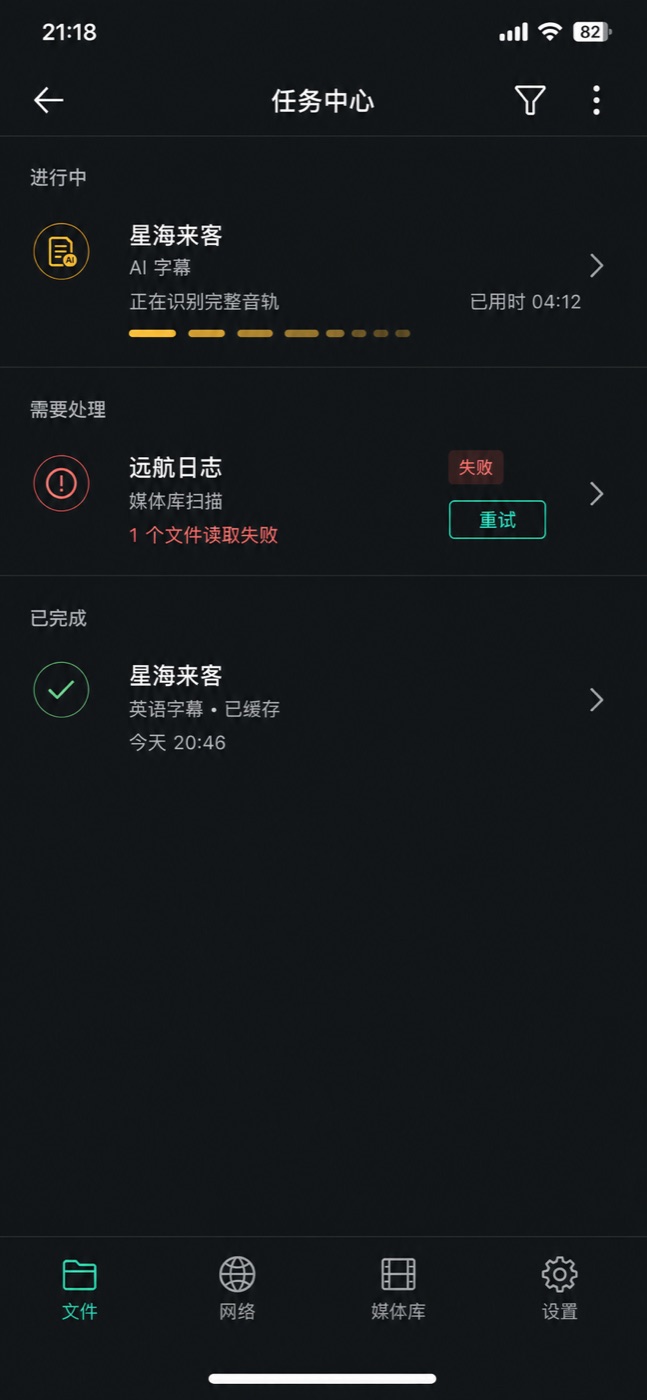
- AI subtitle generation that survives interruption: a job started in the player continues in a task center, across screens and across app restarts, and the finished subtitles are cached for the next playback.
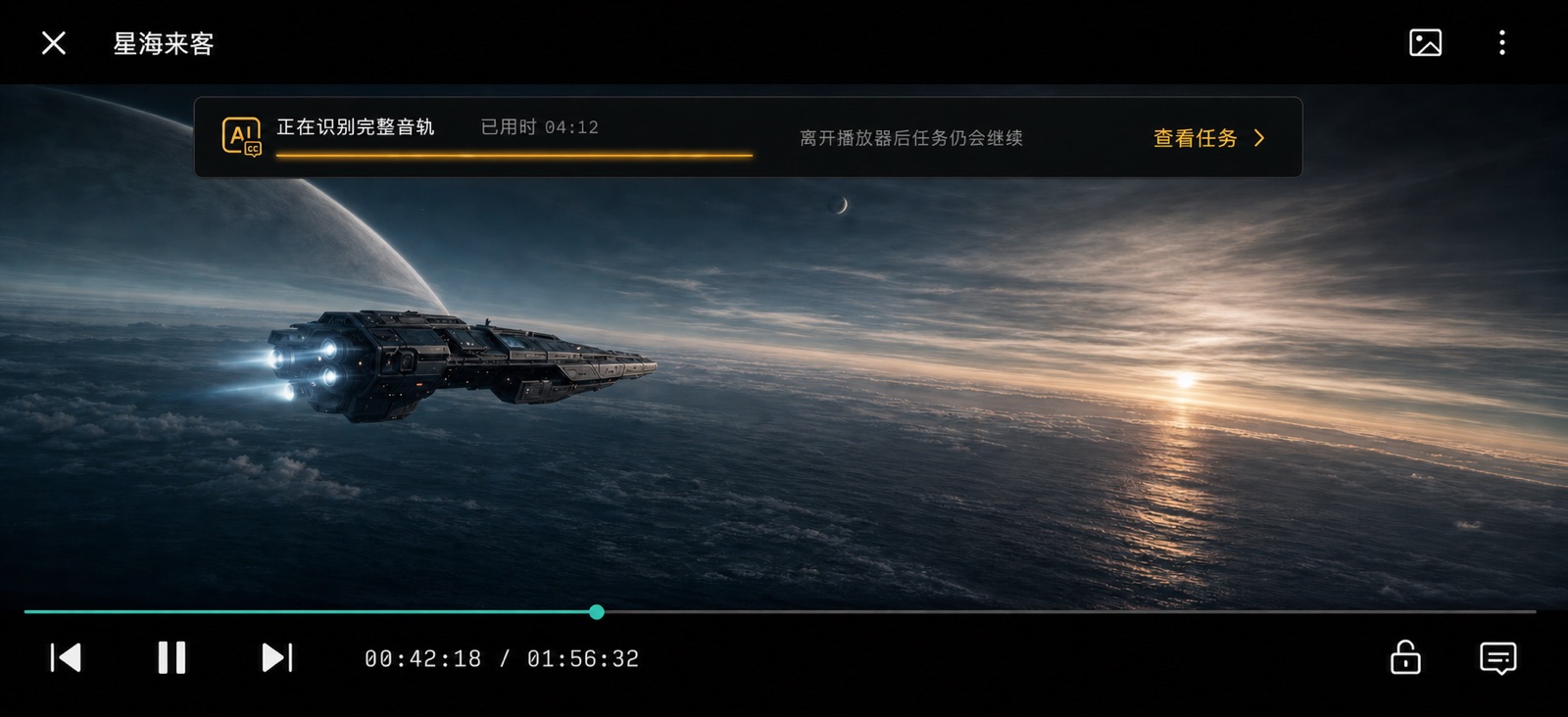
The core loop is: browse files, play, configure AI subtitles, watch progress, leave the player, follow the job in the task center, then play again with the cached subtitles loaded.
How we are building it
Design system before screens
We wrote the product requirements, information architecture and user flows first, then built a design system with machine-readable design tokens. Design mockups for all 80 screens were produced against that system before implementation, which keeps the screens consistent without hand-tuning each one. The images on this page are those mockups, not screenshots of the running app.
One Flutter codebase, six platforms
The client is a Flutter workspace that targets iOS, Android, macOS, Windows, Linux and the web. The design system is its own package, with a catalog app that renders every component in isolation so that components can be reviewed and tested without running the full product.
A backend defined by contract
The API is specified in OpenAPI before it is implemented. The backend runs on Node.js and covers:
- Email one-time-passcode sign-in and sessions
- Server-side entitlements and usage quotas
- Playback progress sync with optimistic locking, so two devices cannot overwrite each other
- Subtitle jobs: upload, cache lookup, provider callbacks with signature verification and idempotency, and cleanup of audio after processing
Storage and the speech recognition provider sit behind adapters. Development uses SQLite, local object storage and a mock recognition service, and production can swap in PostgreSQL, cloud storage and a real provider without changing the core.
Status
The design system, the client for all six platforms and a runnable backend baseline are in place. The product has not been released, so there are no usage figures to report yet.
What this shows
- Planning a product of this size so that design, client and backend stay aligned
- Cross-platform delivery from a single Flutter codebase
- Designing long-running AI jobs to be resumable, cached and safe to retry
If you are planning an app with similar needs, see our mobile app development and AI development services, or tell us about your project.